See it in action
Add-on
Every event you run, on one calendar - month, week or list.
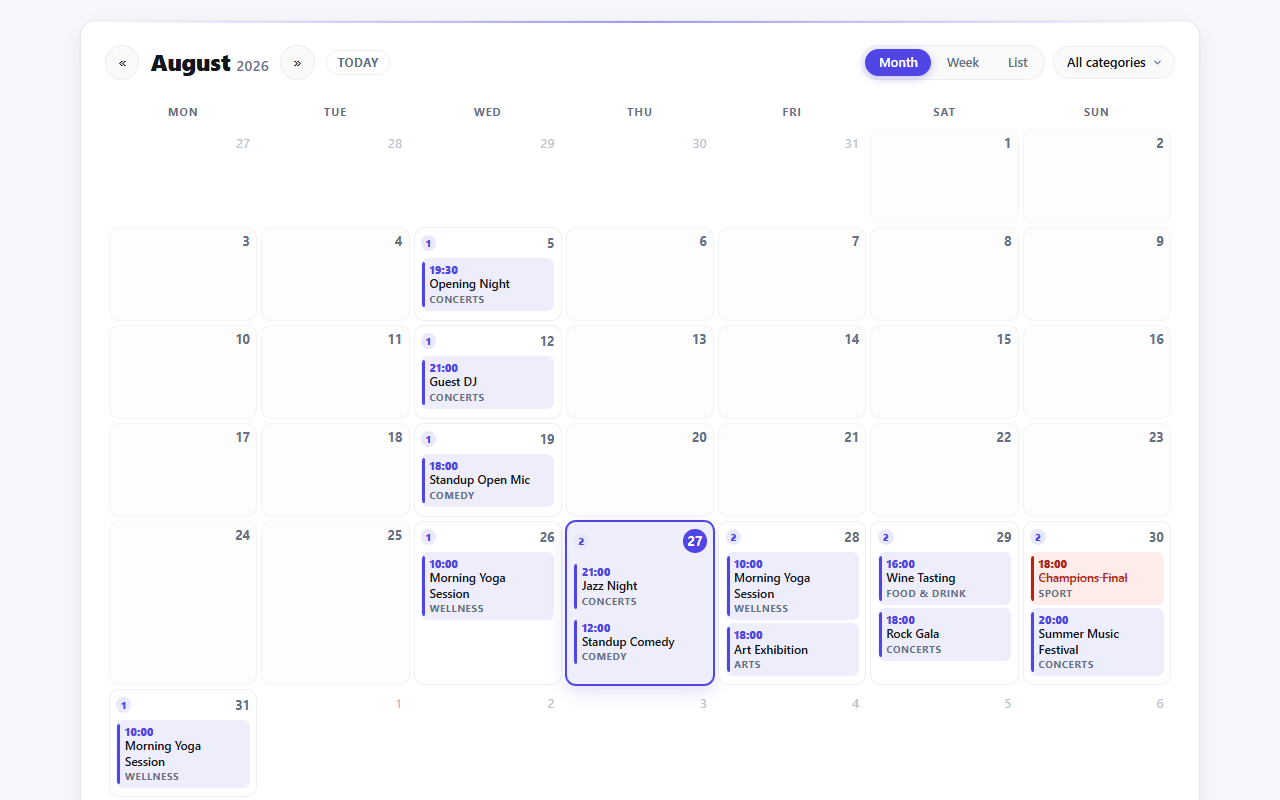
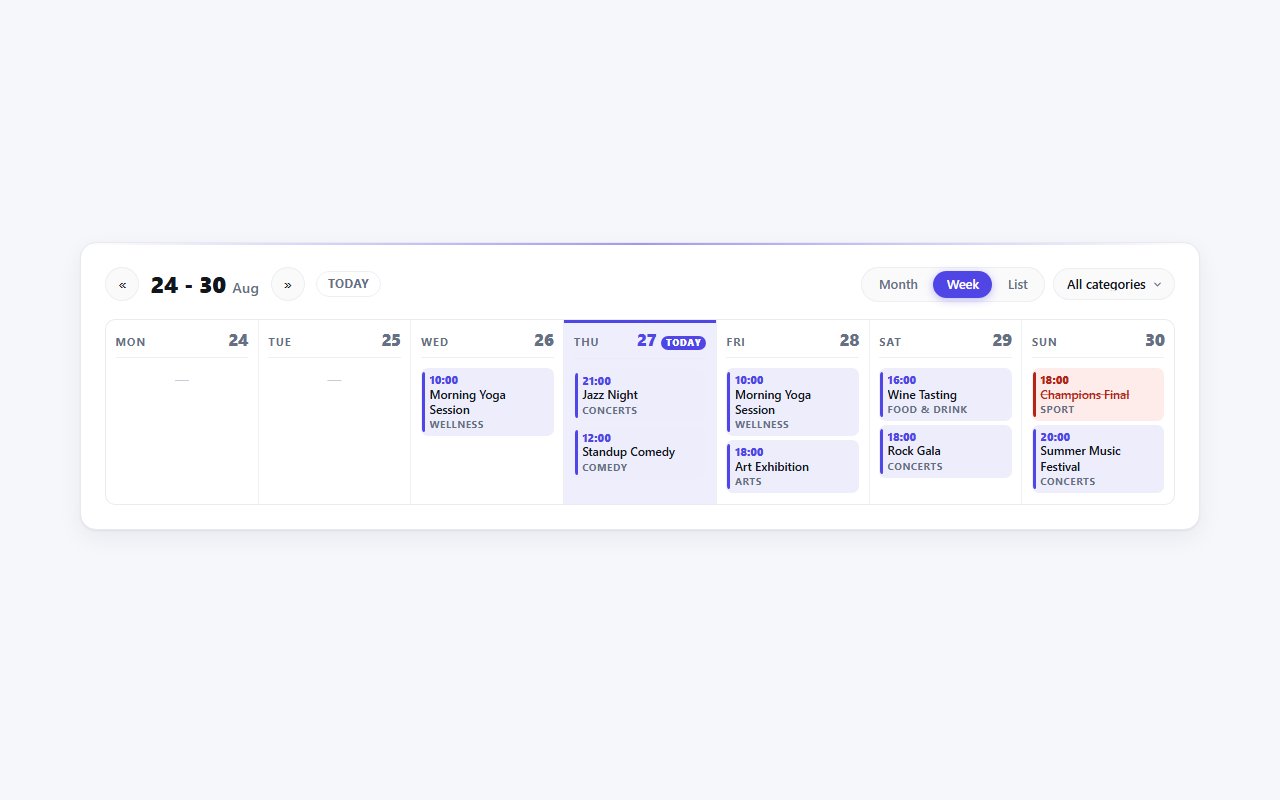
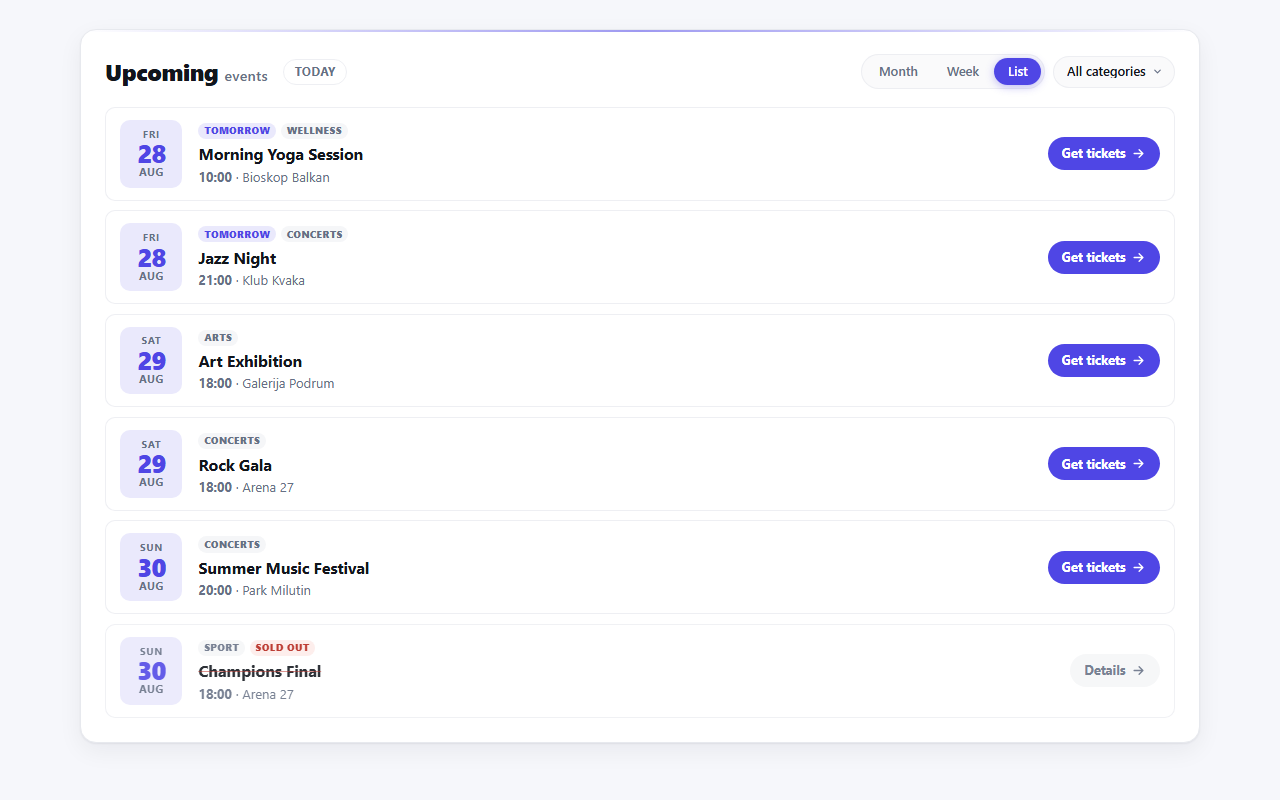
Drop one shortcode or one block on a page and every Venuera event lands on a calendar visitors can actually browse - a month grid, a week strip or a plain list. Recurring series expand into their individual dates, categories filter in place, and every navigation control is a real link, so the calendar works before any script runs.
From $9/month, $49/year or $129 once 7-day money-back guarantee No per-ticket fees
Month, week, list
The same events, presented for the way people actually look for them. The month grid answers “what is on this month”, the week strip answers “what is on this week”, and the list answers “what is next”. Visitors switch between the three, move through months and filter by category from the header - and nothing about it needs JavaScript to work.
Feature tour
A month grid, a seven-day week strip and a chronological list - switched from the calendar header, with an empty state written for each one.
A weekly class shows on every night it runs, not once. Each occurrence gets its own cell, bounded to the period on screen. Needs the Recurring Events add-on.
A dropdown built from your own event categories, with an “All” option - so a calendar configured for one category can still be widened by the visitor.
Hovering or keyboard-focusing an event opens a card with the featured image, the full date and time, the venue or “Online”, the category, and whether tickets are available or sold out.
Months, weeks, categories and the past-events toggle all navigate through query links rendered server-side. Scripts only add the tooltip and the “+N more” toggle on top.
The calendar reads the same minimal, bold or dark preset your Venuera event pages use and inherits its design tokens, rather than fighting your theme.
See it in action
Full spec
[venuera_calendar] shortcode and a Venuera Calendar block with identical optionsGet Calendar
Grab just Calendar, or unlock all eight premium add-ons with the All-Access bundle - one licence, all future add-ons included. No per-ticket fees, ever.
Documentation
The lineup
Every add-on is native WooCommerce, built by the same team to work with the others.
Ready when the doors open
Start with the free core, then unlock Calendar when you need it.