Add-on

Venue Designer

Your venue, in 3D. Buyers walk the room and pick the exact seat.

Draw the room once in a drag-and-drop editor and your buyers get a live seat map they can switch between a crisp 2D plan and a game-like 3D view of the actual venue - stage, tables, rows, standing areas and all. Every seat, table and spot is clickable in both views, with real-time holds and per-date availability. Runs on your own WordPress, on top of the WooCommerce checkout you already use, with 0% per-ticket fees.

From $9/month, $49/year or $129 once 7-day money-back guarantee No per-ticket fees

Venuera / add-ons / venue-designer Premium add-on

New in 1.1 - the 3D seat map

Let buyers see the room before they buy the seat.

One click turns the seat map into a 3D model of your venue: chairs facing the stage, round tables with their chairs, a stage with lights, a dance floor with a crowd, bars, exits and restrooms as little 3D landmarks. Buyers rotate, zoom and pick their seat right in 3D - holds, sold seats, prices and the cart work exactly as in 2D. Nothing to redraw: every venue you already built is 3D the moment you update.

What it does
  • 2D and 3D in one map - you choose which opens first, per event
  • Every seat, table and standing spot is clickable in 3D
  • Real models for chairs, tables, stages, screens, boats, tents, cabins, cars and more
  • Rotate left, rotate right and top view - plus a cinematic fly-in on open
  • Big venues stay fast: sections collapse into blocks when zoomed out
  • 3D loads only when a buyer opens it; devices without WebGL get 2D

Feature tour

What Venue Designer does

2D or 3D, per event

Offer 2D + 3D with a switch, open straight into 3D, or keep a single view. The buyer's last choice is remembered, and the classic 2D plan is always one click away.

Edit your venue in 3D

The editor has the same 2D / 3D switch. Move, rotate and resize rows, tables and zones in 3D; the properties panel, undo, copy / paste, zones and saving all work exactly as in 2D.

Tables, seat by seat

Round and rectangular tables with their chairs, rendered in 3D. Sell a whole table as one unit or every chair on its own - your choice per table.

Not just seats

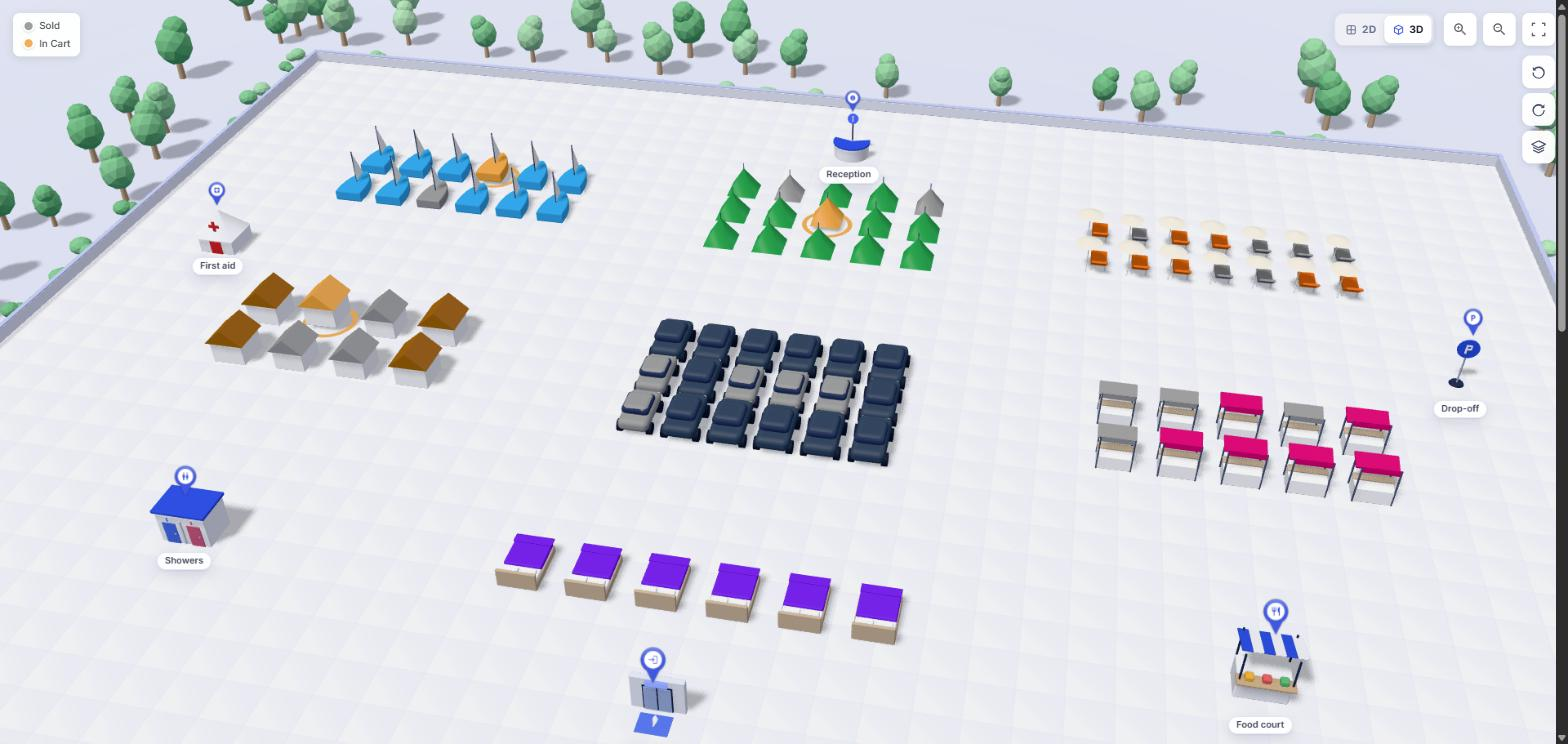
Each spot can be a chair, armchair, booth, sun lounger, bed, cabin, tent, boat slip, parking bay, car or wheelchair space - and each one has its own 3D model. Sell campsites, marinas, beach clubs and parking the same way you sell a theatre.

Live seat picking

Buyers pick real seats on a zoomable, pinch-friendly map with prices and a clear legend. Seats in someone's cart are held for a configurable time, and sold seats are blocked in real time, per date.

AI venue assistant

Describe the room - "a 500-seat auditorium, curved rows, the stage at the top" - and the assistant lays it out with real rows, tables, zones and icons. It can also change what is there: "recolor every VIP table red".

See it in action

Venue Designer, up close.
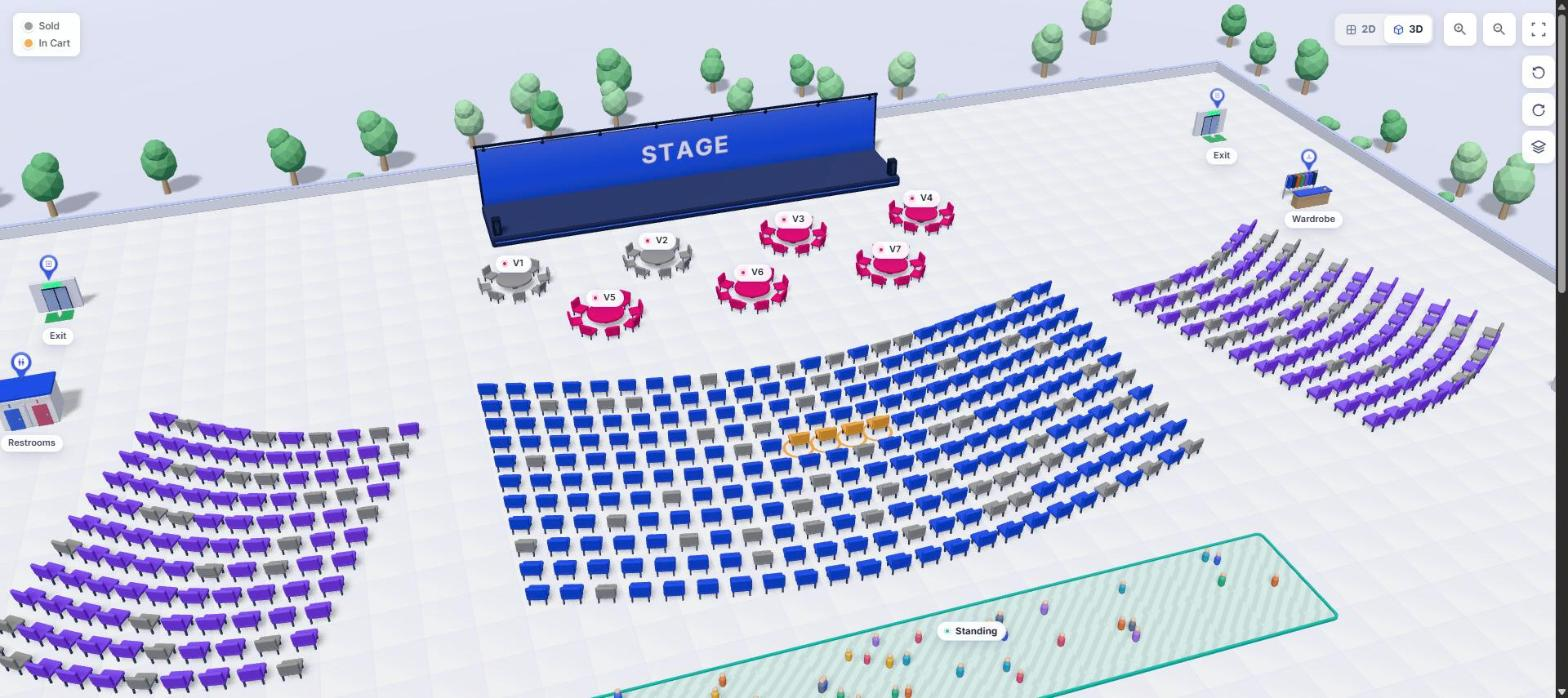
Buyers pick seats in a 3D model of the room. Grey seats are sold, the orange ones are in this buyer's cart.
01
3D - The buyer's seat map

Buyers pick seats in a 3D model of the room. Grey seats are sold, the orange ones are in this buyer's cart.

Marina slips, campsites, cabins, beach loungers, market booths and parking bays - each spot is bookable and has its own 3D model.
02
3D - Boats, tents, cabins, cars

Marina slips, campsites, cabins, beach loungers, market booths and parking bays - each spot is bookable and has its own 3D model.

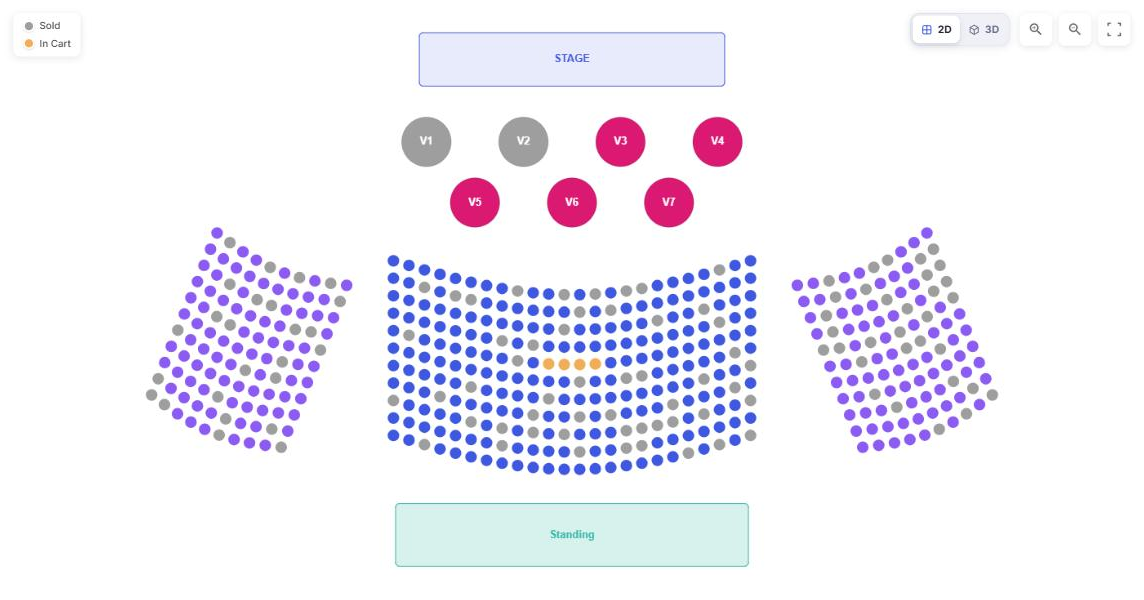
The same venue as a clean, flat seat plan. Buyers switch between 2D and 3D with one click.
03
2D - The classic plan

The same venue as a clean, flat seat plan. Buyers switch between 2D and 3D with one click.

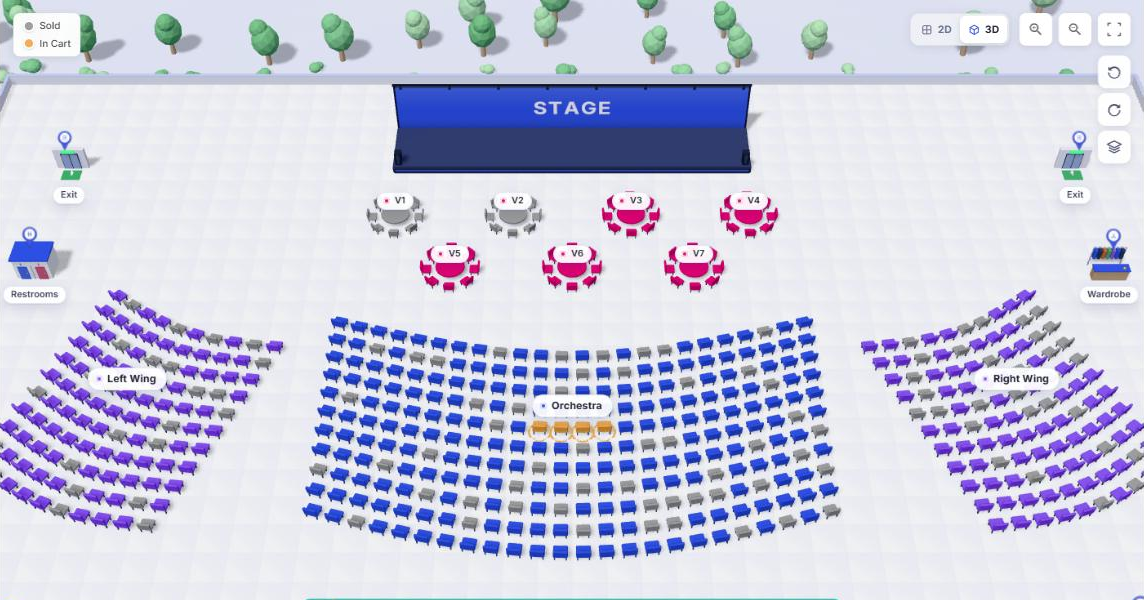
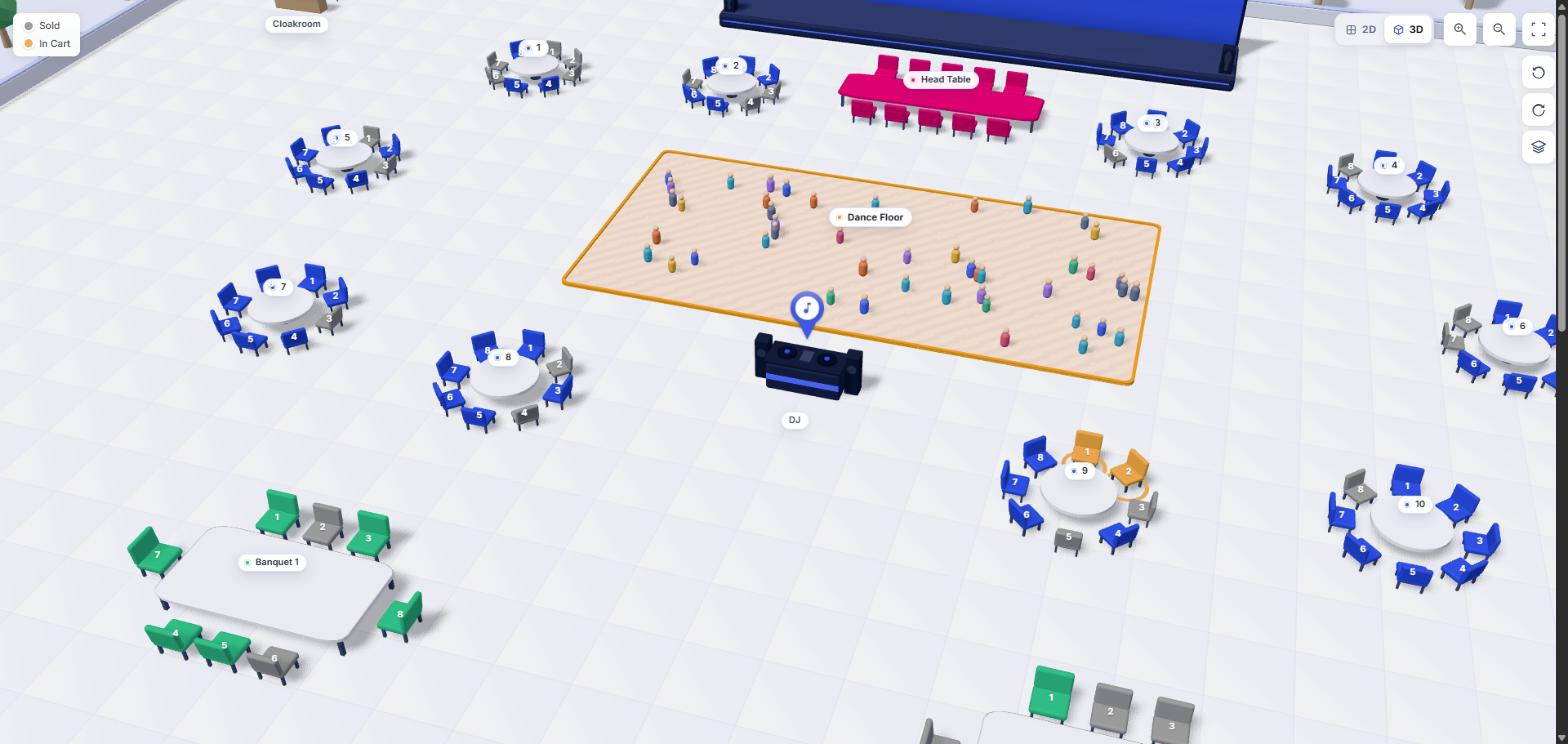
Identical seats, holds and colours as the 2D plan - just seen the way the room really looks.
04
3D - The same room, in 3D

Identical seats, holds and colours as the 2D plan - just seen the way the room really looks.

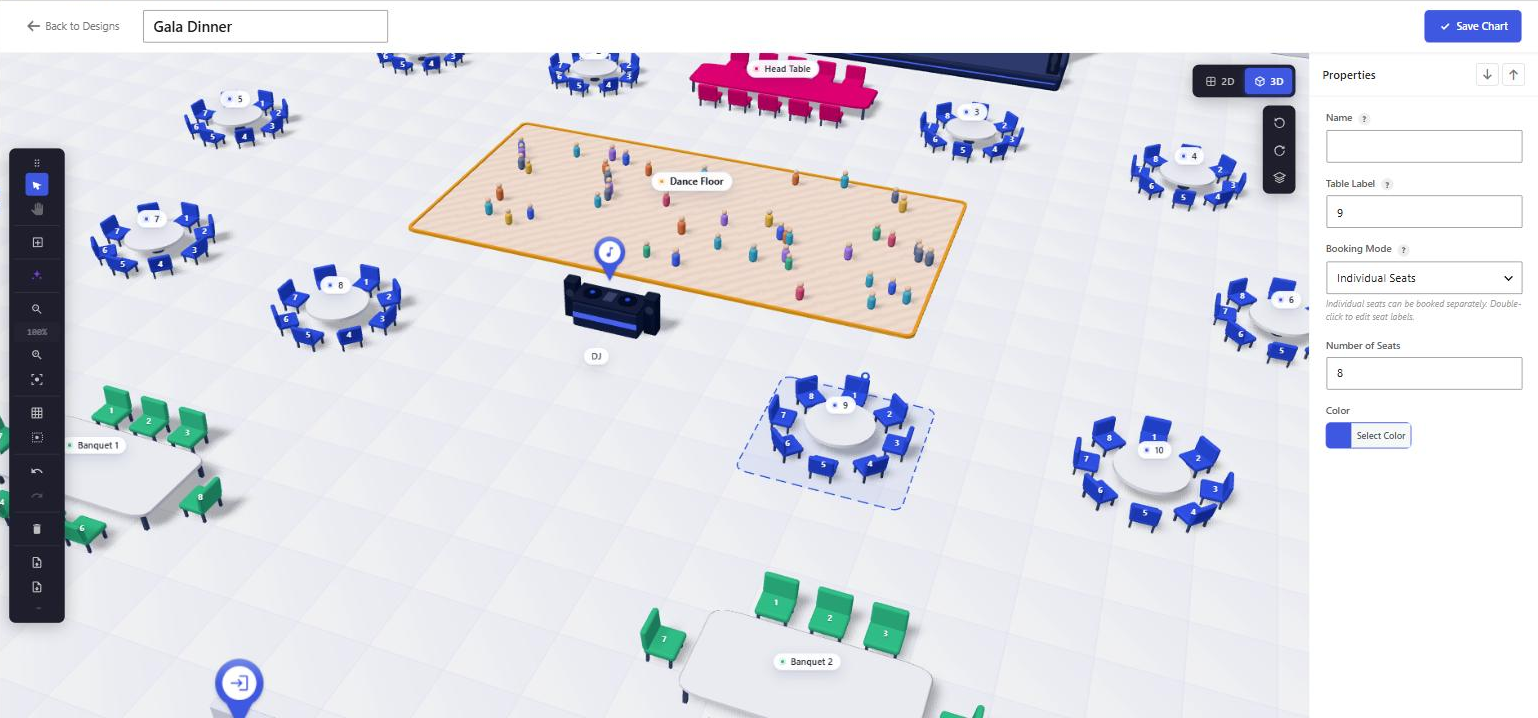
Round and banquet tables with their chairs. Two seats at table 9 are in the cart; the grey ones are already sold.
05
3D - Tables, seat by seat

Round and banquet tables with their chairs. Two seats at table 9 are in the cart; the grey ones are already sold.

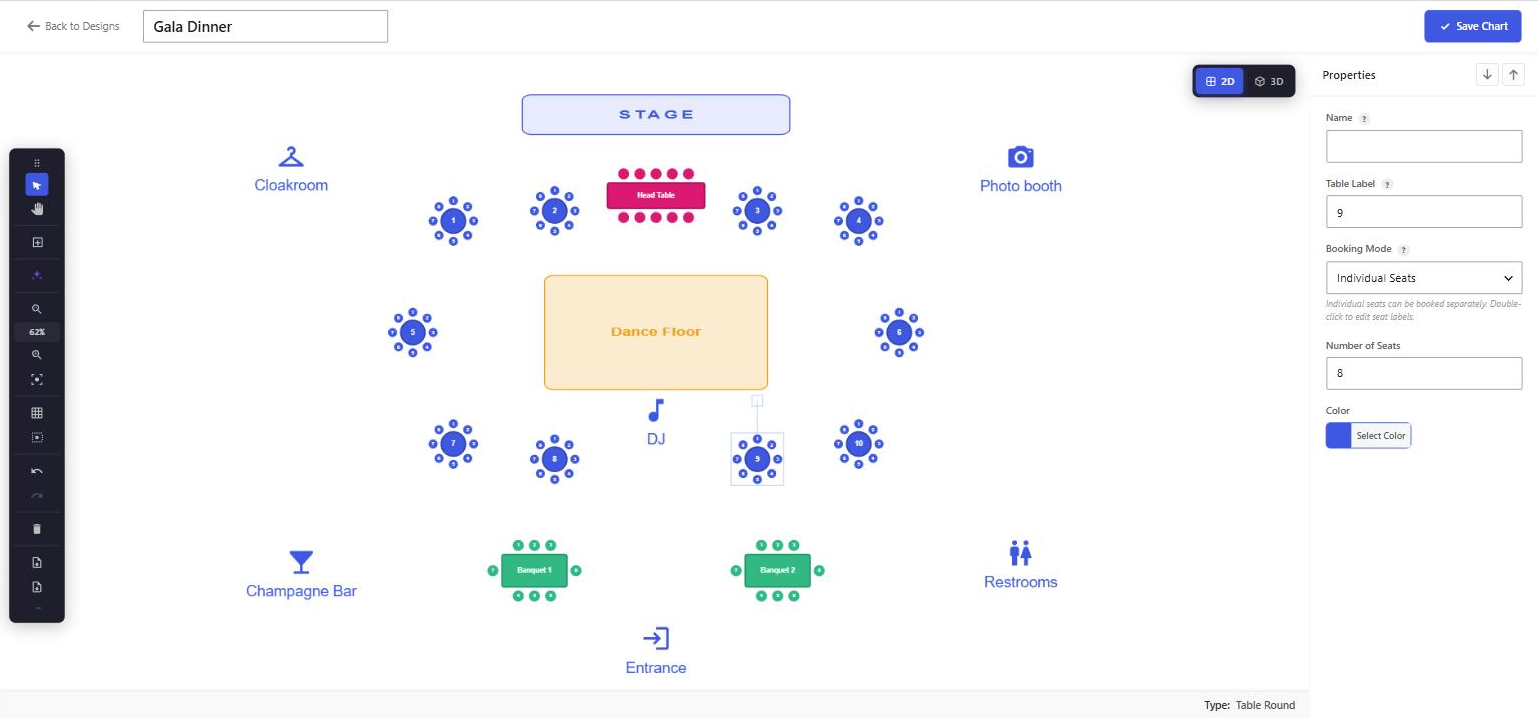
Select a table in 3D and move, rotate or resize it; the properties panel on the right works exactly as in 2D.
06
3D editor - Arrange the room

Select a table in 3D and move, rotate or resize it; the properties panel on the right works exactly as in 2D.

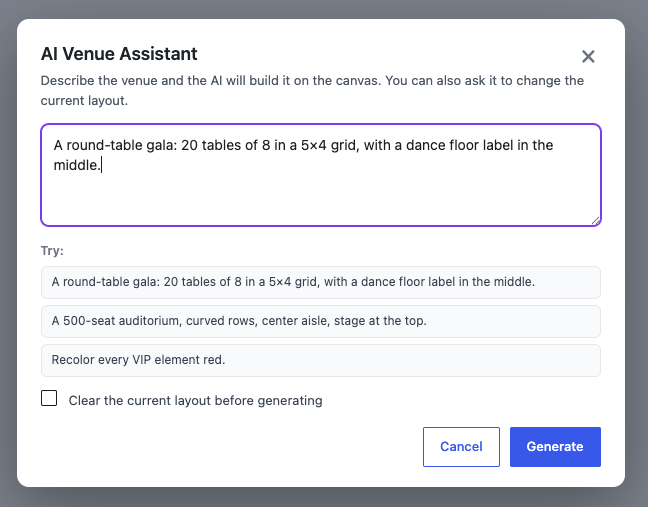
Flip to 2D for precise layout work. Both views edit one design, so nothing ever has to be drawn twice.
07
2D editor - The same design

Flip to 2D for precise layout work. Both views edit one design, so nothing ever has to be drawn twice.

Describe the room; the assistant drafts the seating map.
08
AI Venue Assistant

Describe the room; the assistant drafts the seating map.

Full spec

Everything included

Get Venue Designer

Buy it on its own, or get everything.

Grab just Venue Designer, or unlock all eight premium add-ons with the All-Access bundle - one licence, all future add-ons included. No per-ticket fees, ever.

Venue Designer

This add-on, on its own.

$49 /year
Buy this add-on
Best value

All-Access bundle

Every premium add-on, one licence.

$99 /year
Get All-Access
7-day money-back guarantee No per-ticket fees, ever Runs on the free Venuera core

Documentation

Set up Venue Designer, step by step

The lineup

Pairs perfectly with

Every add-on is native WooCommerce, built by the same team to work with the others.

Ready when the doors open

Add Venue Designer to your events.

Start with the free core, then unlock Venue Designer when you need it.

Buy Venue Designer All add-ons