Design with the AI assistant
you want the ticket built (or edited) for you from a plain-English description, without fiddling with every element by hand.
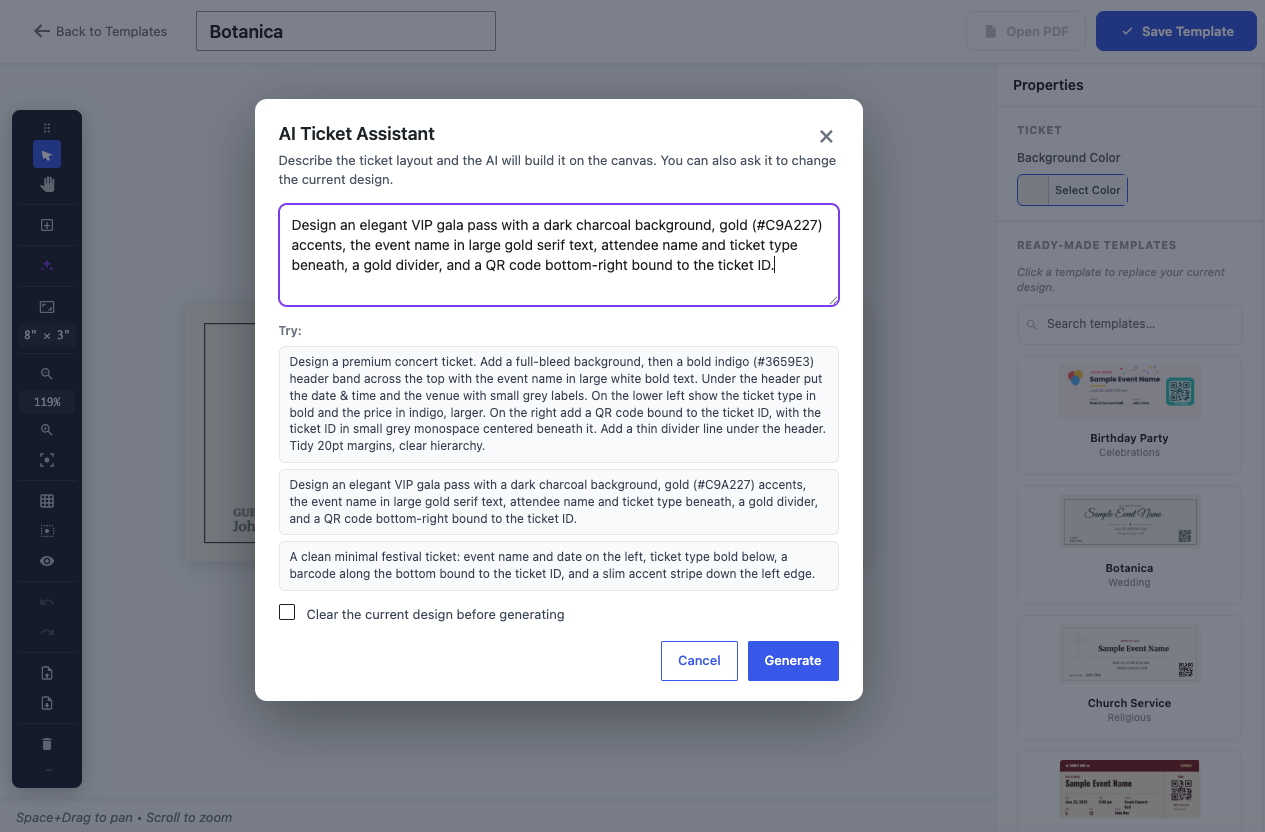
The AI Ticket Assistant turns a one-line brief into a finished layout on your canvas – and can edit an existing design the same way.
Build from a prompt
Type a description like “a dark jazz-night ticket with the QR in the corner and the band name in big serif type” and the assistant lays it out for you. It is instructed to bind a scannable code to the ticket ID, so the result is a working ticket, not just a picture.
Edit by asking
You can also point it at the current design: “recolor all the headings to gold”, “move the QR to the left”, “delete the divider line”. It targets elements by type, by their text, or by the data field they’re bound to (e.g. the QR’s ticket ID), so changes land where you mean them.
Safe by design
The assistant returns structured design operations – add this element here, recolor that one – not raw code. Those operations are applied to the canvas, so the AI can’t produce something broken or unsafe; it always lands as clean, editable elements you can adjust by hand afterwards.
Bring your own AI
It uses whichever AI provider you connect in WordPress through the WordPress AI Client. There’s no separate Venuera AI account or fee – you plug in your own provider and the assistant uses it. It requires the WordPress AI Client (WordPress 7.0+) with a provider connected under Settings → Connectors, and is available to administrators.