Add-on
Design pixel-perfect tickets - with an AI assistant that builds them for you.
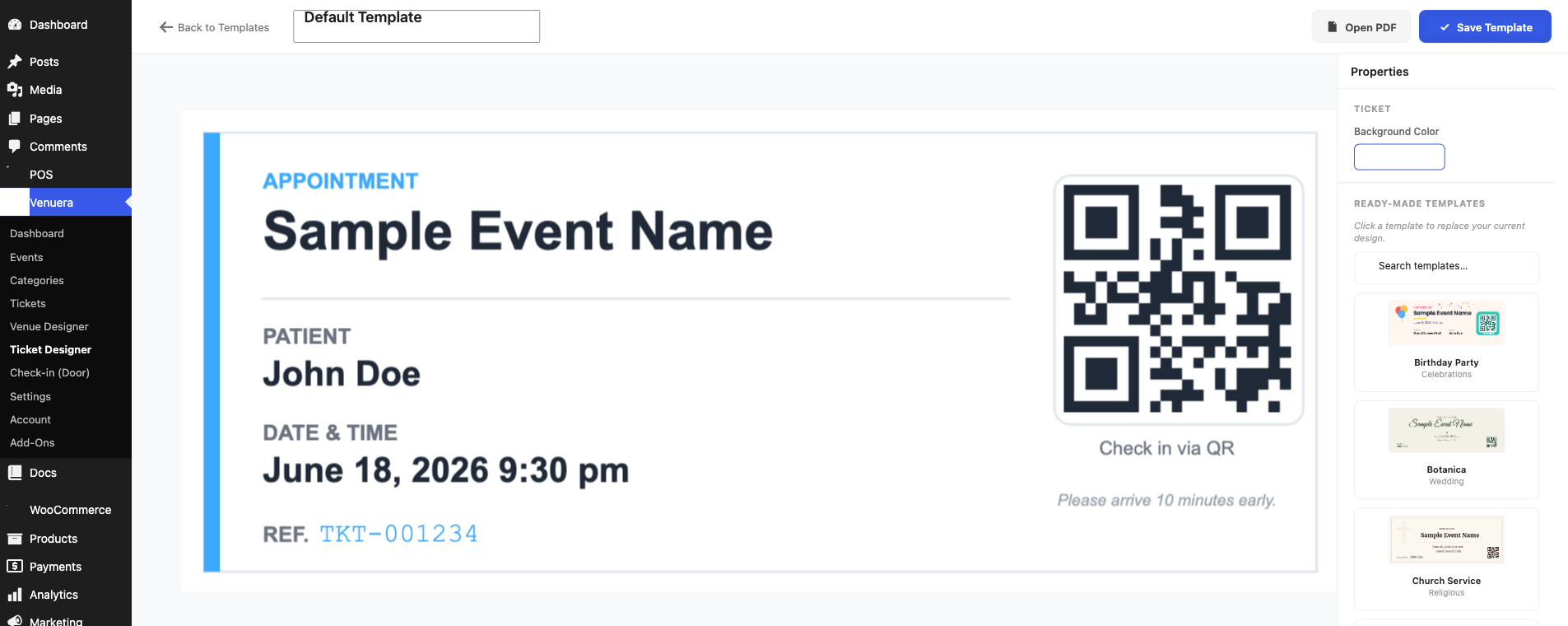
A drag-and-drop studio inside WordPress. The PDF matches the canvas down to the pixel, with the same embedded fonts on screen and in print. Included free in the Venuera core.
Included free in the Venuera core No licence required
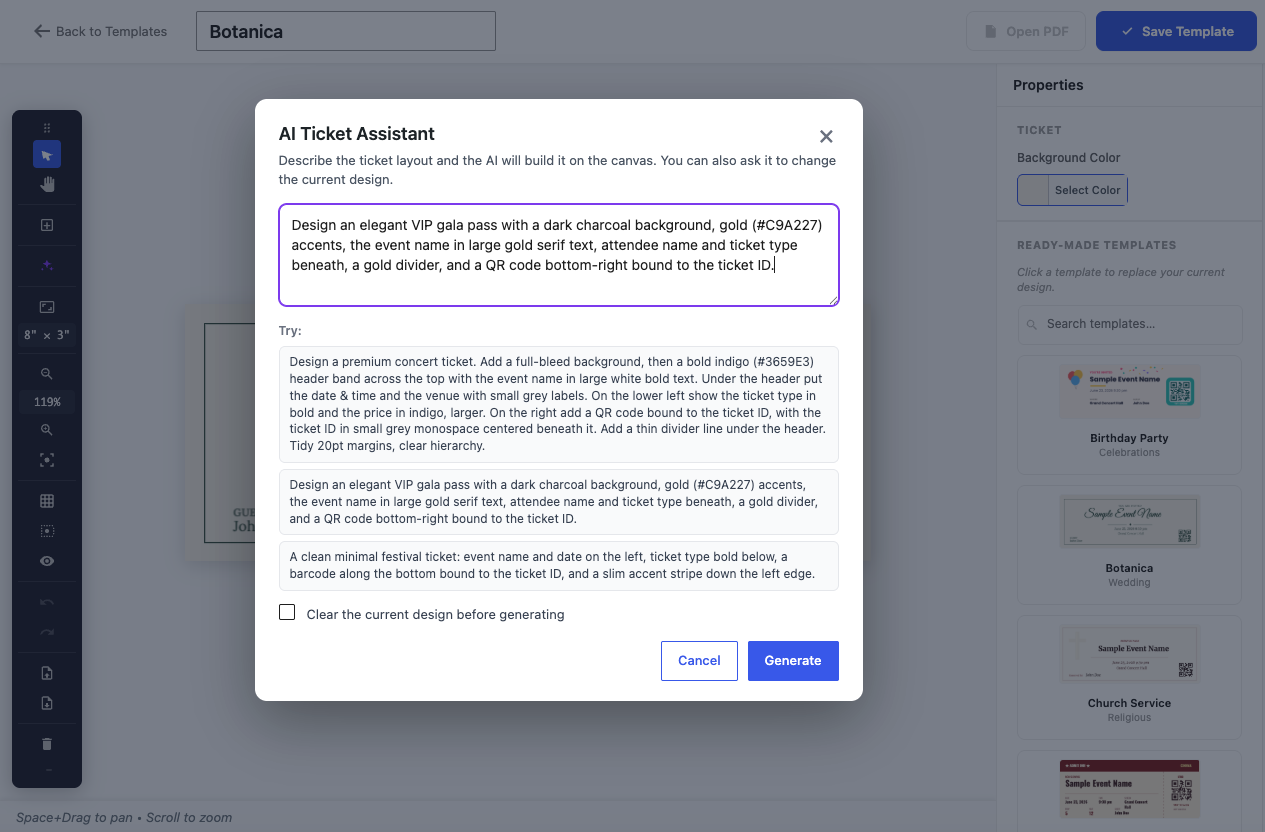
AI Ticket Assistant
Type a brief like “a dark jazz-night ticket with the QR in the corner” and the assistant builds the layout on your canvas - or edits the current design (“recolor all the headings”, “move the QR to the left”). It returns safe, structured design operations, not random code, so it always lands cleanly on the canvas.
Feature tour
The canvas maps 1:1 to PDF points - rotation and opacity preserved - so what you design is exactly what prints.
QR with L/M/Q/H error correction and 10 barcode formats (Code 128, EAN-13, UPC, ITF-14…), generated locally with no third-party call.
Bind event, ticket, seat and attendee fields. Every ticket renders its own UID, QR and attendee details.
Occasion-ready designs from concert to wedding to dentist - all fully editable, with bundled decorative art.
The same TTF files render on screen and inside the PDF, with Unicode support including Cyrillic.
Grid & snap, zoom/pan, 50-step undo/redo, layers, align, and an off-canvas pasteboard to recover elements.
Full spec
Documentation
The lineup
Every add-on is native WooCommerce, built by the same team to work with the others.
Ready when the doors open
The Ticket Designer ships inside the free Venuera core - no licence required.