The AI venue assistant
you’d rather describe your room than place every row by hand to get a first draft of the map.
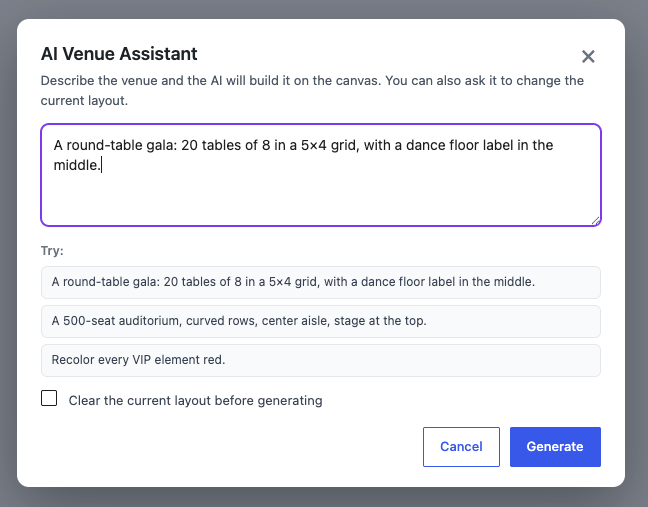
The Venue Designer has an AI assistant that builds a seating map from a description, so you start from a working draft instead of a blank canvas.
Describe the room
Tell it the shape of the room – for example “ten rows of twelve seats with a centre aisle, plus a standing area at the back” – and it lays out the rows, seats and areas for you. You then refine by hand: nudge a row, rename a section, add a table.
A draft, not a black box
The assistant produces a normal editable map – every seat, table and area it creates is a regular element you can move, relabel, reprice or delete; any zones it adds are normal sections you can rename or remove. It speeds up the first 80%; you keep full control of the details.
Bring your own AI
Like the Ticket Designer’s assistant, it uses whichever provider you’ve connected in WordPress, so there’s no separate AI subscription tied to Venuera.